
Markora 1.0.1 · Invite-only pilot
See how team sharing works
Save a project link in a team folder so a colleague can find the same bookmark by title or tag.
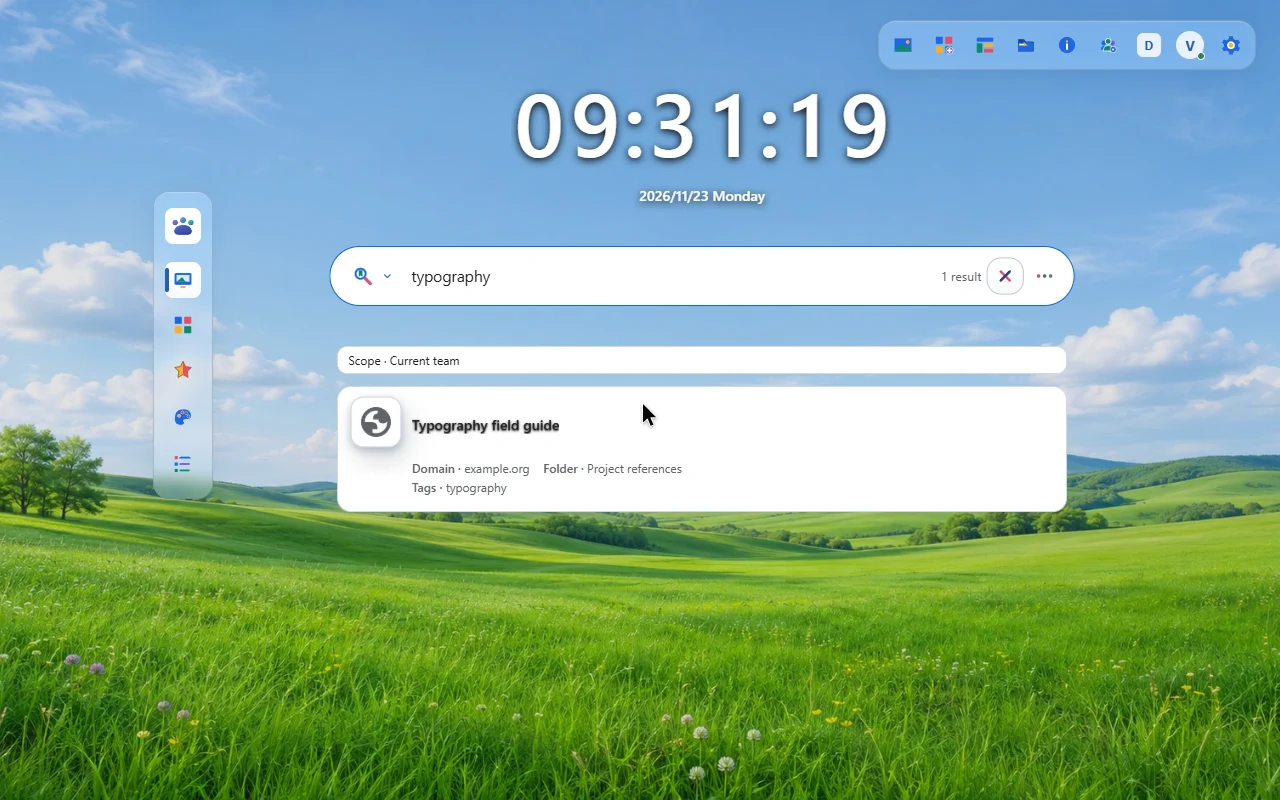 Team workspace 0:36
Read the steps
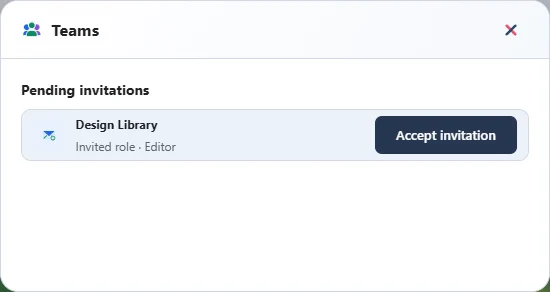
- Editor · After signing in with an approved email, open the paw to see team invitations.
- Check the team and invited role, then accept to enter the workspace.
- Open Project references in the team navigation, then add a shared bookmark.
- Add a searchable tag and check the shared destination before saving.
- The saved bookmark now appears in the team folder.
- Viewer · In a separate browser, switch from the personal workspace to the same team.
- Choose bookmark search and type the tag added by the editor.
- Open the matching shared bookmark to visit the same page.
- Shared URL opened · example destination
Accept an invitation, switch workspaces and open a shared link.
Request pilot accessFrom a team invitation to a shared bookmark
- After pilot approval, sign in to the installed extension with an email code. Open Account settings → Messages, accept a team invitation, then select the team.
- A member with editing access checks the team and destination folder, then saves the URL, title and tags. The entry can also include a shared note.
- Another member opens the same team, searches by title or tag, and opens the link. Switch back to the personal workspace to organize your own Chrome bookmarks.
What each role can do
- Viewer
- Find and open shared bookmarks.
- Editor
- Add and edit entries, and organize bookmarks in team folders.
- Owner
- Manage membership, invitations and roles, export team data and review recovery actions.
Your personal workspace works without signing in. Chrome manages personal bookmarks. The team service stores the links, tags and shared notes that members choose to save to a team.
Read about privacy and dataRequest pilot access
Open Settings → About Markora in the extension. Email support from the address you want to use for testing. After approval, sign in with that address and accept an invitation to a specific team.
support@markoraai.comTeam workspace guide
Already a member? Look up role permissions, messages or recovery steps.
Read the full guide · Team backup and recovery