
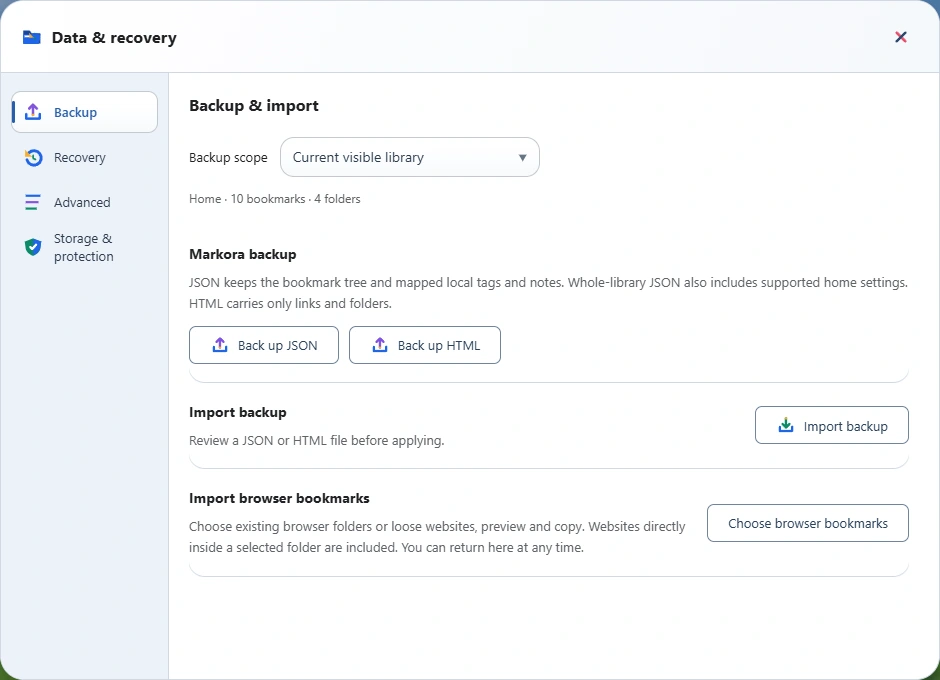
Before you start
Files are unencrypted and may contain private URLs, paths and content. Store them safely. Checksums check integrity, not encryption or authorship.
1. Choose a format
Open Data & recovery at the top of home, then Backup. Choose JSON or HTML for your purpose; scope affects the contents.
| Format | Purpose | Content |
|---|---|---|
| JSON | Keep relevant local data | Bookmarks and relevant data; full scope can carry home settings. |
| HTML | Exchange bookmarks | Titles, URLs and folders; excludes home settings, widgets and media. |
2. Export
A full-scope JSON file including current media is limited to 128 MiB.
- Choose the scope and export.
- After download begins, confirm the file exists in your downloads.
- Store a separate copy safely.
3. Confirm the file
An export record confirms initiation, not a downloaded file. HTML and partial JSON omit global home data. Bookmark import does not also apply home settings attached to full-scope JSON. Separate home restore and complete Main/Lite migration controls are not offered.