
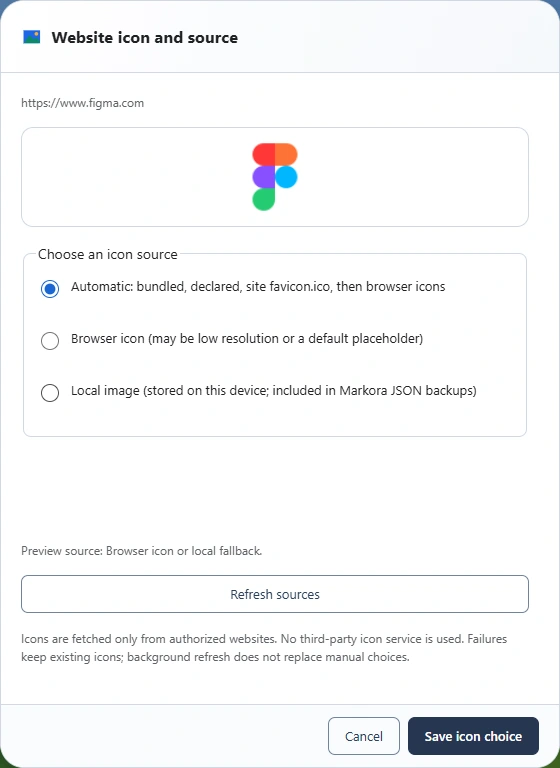
Open the source panel
Choose Website icon and source from a website’s More actions. The panel shows the selected source, available resource URL and last successful update. Preview before saving; cancel keeps the previous choice. Choices apply to the exact origin: scheme, host and port.
Automatic mode and website refresh
Automatic mode uses bundled verified assets, website declarations, the same HTTPS origin’s /favicon.ico and then Chrome’s existing icon or a local fallback. Explicit refresh requests access to that website; declared cross-origin resources still need their own grant. Small icons are not described as HD. No third-party aggregator receives bookmarks, and failures retain the last successful icon.
Browser icon or local image
Choose Chrome’s existing icon, or import a PNG, JPEG or WebP up to 2 MiB. Conversion runs locally and produces a 256×256 PNG without original file metadata. Up to 64 origin choices are stored, with a 192 KiB limit per converted image. Background refresh never replaces a manual choice. Save Automatic to remove that origin’s override.
Backups and demo limits
Markora JSON includes manual choices and local images for origins present in the exported bookmarks. Restore matches origins rather than old bookmark IDs. HTML excludes these settings; downloaded icon caches are not backed up. The website demo operates on sample data and cannot read Chrome icons, grant website access or associate native folders.