
What the identity does
Markora keeps a Library identity bookmark inside the root. Its URL fragment contains a random library UUID and follows native bookmark retention and Chrome sync. It is not a password or browser lock. Markora hides this metadata and protects the root, marker and ancestors from its own rename, move and delete actions.
Reconnect an existing library
After local state is lost, a marker or Markora-named candidate opens a choice screen before any new root is created. A name alone establishes no association. Backup no longer has a separate Manage library folder card.
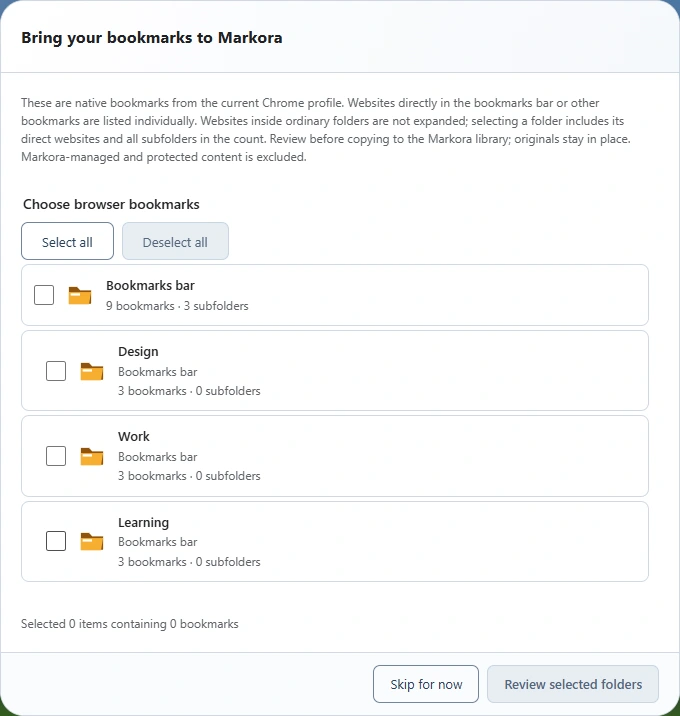
- Follow the review prompt after reinstalling. For an existing identity problem, open Data & recovery → Backup → Choose browser bookmarks to review it first.
- Search and explicitly select a folder; review its path and counts.
- Confirm the association. Existing native IDs, contents, order and hierarchy remain. A marker is added only if needed.
- Alternatively create an independent root, or disconnect while retaining all native content.
Missing or duplicated identity
A missing root or marker, or a copied UUID, pauses ordinary bookmark writes instead of silently recreating folders. Review it through Choose browser bookmarks before importing. Explicitly choosing a duplicated marker gives only the selected marker a new UUID. Chrome and other extensions can still change native bookmarks. Ordinary edits within an associated library retain scope, confirmation and recovery protection.
Bookmark backups and identity
Portable JSON and HTML bookmark exports omit identity markers. File import explicitly skips this metadata so restoring content does not duplicate a library UUID. Full-profile association records remain subject to the same native-tree identity check.