
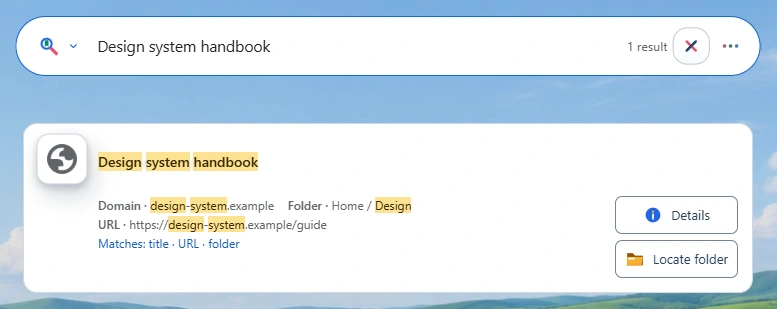
Search bookmarks
Match titles, URLs, folder paths, bookmark tags and legacy notes locally, within the current folder and its children when searching from a category. Choose Search whole library to extend the search to your allowed scope. Results show the domain, folder and any matching tag or note. Add or edit multiple tags in the website editor; legacy notes remain searchable and portable.
Search from the Chrome address bar
Type mk in the address bar and press Tab, then enter your terms. Select a bookmark suggestion to open it, or submit the text to open a temporary bookmark search on the home page. Both use the same personal library scope and preserve your default search mode.
Submit a web search
Terms go to the selected provider only on submission. Switching providers does not submit; there are no remote suggestions. A custom search-engine editor is not currently offered.
Control search history
Keep up to twenty submitted terms locally. Disable or clear history, or select no automatic cleanup, seven days or thirty days. Incognito does not record it; history is excluded from backups and migration.
Choose opening behavior
In Settings → General → Browsing habits, choose a foreground new tab, current tab or background new tab, and Home or the last category as the start location. Middle-click and explicit menu actions follow the chosen action.